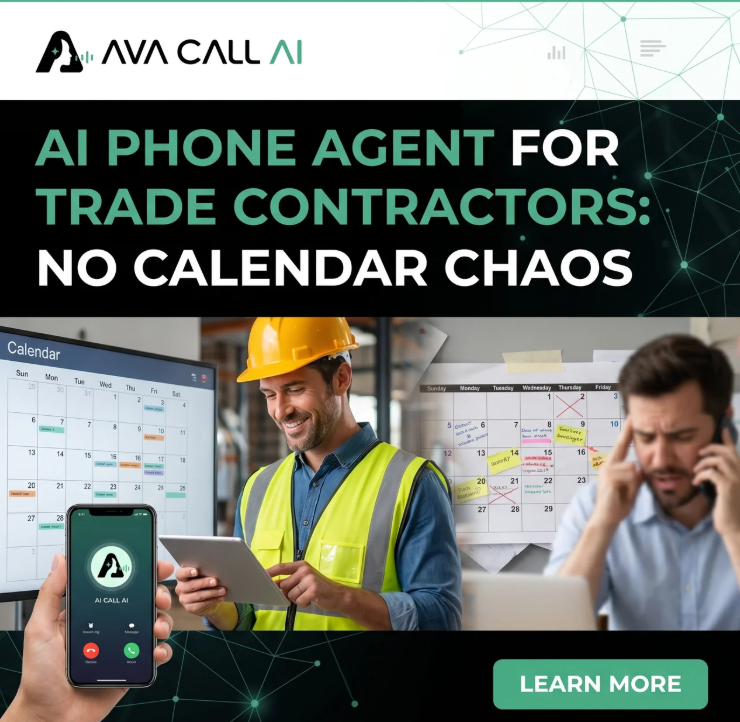
The Frictionless Switch: How Ava Call AI Integrates With Your Field Software Without Touching Your Calendar
The most common thing we hear from London electricians and plumbers who've looked at AI receptionists before isn't "I don't see the value." It's: "I tried one of these. It double-booked a job, the customer heard a robot, and I had to turn it off after two weeks."
That's a legitimate objection. And it's not about AI being bad in principle — it's about what happens when a generic, out-of-the-box voice tool gets dropped onto a trade business with no configuration, no industry logic, and no understanding of what "on the tools until 6 PM" actually means operationally.
This article is for contractors who've done their research, see the case for a 24/7 AI phone agent, and want to understand exactly how the integration works — calendar sync, emergency routing, accent handling, and all the edge cases the sales pages skip.
Notes:
- Ava reads your live calendar before offering any booking slot. It cannot create a double-booking it wasn't given permission to fill.
- Emergency calls — burning smells, sparking, flooding — are detected by keyword and tone, then immediately escalated to your on-call mobile with a priority SMS. The AI does not attempt to book these.
- Ava is built on voice infrastructure optimised for UK English accents, including South Asian, West African, and Eastern European variants common in London. Background noise suppression handles jobsite environments.
- Integration covers Google Calendar, iCal, GoHighLevel, Jobber, ServiceTitan, and Housecall Pro. Bookings write directly to your calendar. No manual data entry.
- Setup is managed for you. You don't configure logic flows in n8n or Zapier. That's what "fully managed" means.
Why Generic AI Tools Break Trade Calendars
Generic AI voice tools break trade calendars because they treat every available time slot as fillable. They don't know what your job pacing looks like.
A standard appointment-booking AI sees two open hours on Tuesday afternoon and books a consumer unit replacement and a quick RCBO diagnostic back to back, five miles apart, with a 30-minute buffer. Any electrician reading this knows that's not how jobs work. The consumer unit job runs long. The buffer disappears. You're calling the diagnostic client to reschedule at 4 PM on a Tuesday.
Ava Call AI doesn't work that way because it isn't a generic booking tool dressed in a trade costume.
The calendar integration layer has three rules baked in at setup:
Rule 1: Ava only fills slots you designate. During onboarding, you tell us which calendar slots are open to AI booking and which are blocked for your own scheduling. Emergency call-outs, estimate visits, and complex jobs can be excluded from AI booking entirely if you want Ava to collect intake only and pass those to you to schedule manually.
Rule 2: Ava checks travel logic before confirming. Your postcode service radius is configured at setup. If a caller's address falls outside your operating area, Ava tells them clearly and doesn't book the slot. No jobs booked 60 miles from your last appointment of the day.
Rule 3: Job pacing buffers are set by you. If you need 90 minutes between jobs minimum, that's locked into the calendar logic. Ava cannot compress it. The buffer is structural, not a suggestion.
The practical outcome: your calendar after Ava looks exactly like your calendar before Ava, except the evening and weekend slots you left open are now filling with confirmed bookings instead of missed calls.
The Exact Calendar Sync Setup (What Connects to What)
Ava connects to your calendar via a read-write integration, not a scrape or a screenshot. When a call comes in, Ava pulls live availability in real time. Not cached. Not as of this morning. Live.
Supported platforms:
- Google Calendar (direct OAuth integration)
- iCal / Apple Calendar (via CalDAV)
- GoHighLevel calendar (native — Ava runs on GHL infrastructure)
- Jobber (via calendar sync layer)
- ServiceTitan (via calendar export + webhook)
- Housecall Pro (via calendar API)
When a job is booked, the following data writes to your calendar and CRM automatically:
- Caller name and phone number
- Address and postcode (already validated against your service radius)
- Job type and brief description (in the caller's own words, cleaned for readability)
- Urgency classification (standard, priority, emergency — more on this below)
- Time slot confirmed
You don't see a message that says "John called, please ring back." You see a calendar entry that says "Consumer unit inspection — 14 Kensington Park Road, W11 — Tuesday 9:00 AM — John Davies — 07711 234567." Ready to go.
For ServiceTitan and Housecall Pro users, the integration uses a webhook layer to push confirmed bookings into your existing job management flow. Your FSM doesn't change. Ava adds to it.
The Emergency Separation Blueprint: What Happens When It's Not a Standard Call
This is the part that matters most, and it's the part most AI tools handle worst.
An electrical emergency call is not a booking request. A caller who says "the socket is sparking and the room smells like burning plastic" is not looking for a Tuesday afternoon slot. That call needs a completely different response chain, and it needs it in under 90 seconds.
Here's the exact logic Ava uses on high-risk calls.
Step 1: Emergency Detection (Seconds 0–20)
Ava processes caller language against a detection layer built for UK electrical and plumbing emergency scenarios. Trigger phrases include but aren't limited to:
- "Burning smell" / "smells like burning" / "hot plastic smell"
- "Sparking" / "arcing" / "flashing at the socket"
- "Half the house has lost power" / "consumer unit tripped and won't reset"
- "Flooding" / "pipe burst" / "water coming through the ceiling"
- "Fishy smell near the fuse box" (a recognised indicator of overheating electrical components)
Tone signals also factor in. A caller speaking quickly, at high volume, or with audible distress shifts the system toward escalation even before a keyword is matched.
When the threshold is crossed, the booking sequence stops completely. Ava does not offer time slots. It does not ask for a preferred appointment day. It moves to the escalation path.
Step 2: Calm and Contain (Seconds 20–60)
Ava tells the caller that an engineer is being contacted now and asks them to confirm their address. It instructs them to stay away from the affected area and not to touch any electrical components. It does not provide troubleshooting guidance, breaker reset instructions, or any advice that could create liability.
This is a deliberate design choice. The role of the AI at this point is information collection and caller stabilisation — not diagnosis. Every decision about what to do at the property stays with the qualified engineer.
Step 3: Simultaneous Dispatch (Seconds 30–90)
While Ava is still on the call with the caller, two things happen in parallel:
The on-call engineer's mobile receives a priority SMS. Not a WhatsApp, not an email, not a CRM notification that sits unread. An SMS, flagged as urgent, with the caller's name, address, postcode, reported symptoms, and the time the call came in.
If you've configured a backup engineer (a second on-call contact for nights or weekends), and the primary doesn't respond within a defined window, the SMS goes to them automatically.
The caller gets a confirmation: an engineer has been contacted and will be in touch shortly. Ava takes the caller's number to confirm it's correct and ends the call.
Total elapsed time from ring to dispatch: under two minutes.
What Ava Does Not Do
For absolute clarity on the liability question, because this matters:
Ava does not tell callers to reset their breaker. It does not tell callers to check the GFCI outlet. It does not advise on whether it's safe to stay in the property. It does not estimate how dangerous the situation is. It does not make any statement that could constitute safety-critical advice.
Those decisions belong to the engineer. The AI's job is to get the engineer informed and moving. That's it.
Accent Handling and Jobsite Background Noise
This is one of the more legitimate technical concerns in the community, and it doesn't get addressed honestly by most AI platform marketing.
The concern is real: a caller with a strong accent, calling from a noisy jobsite or a panicked situation at home, should get the same quality of service as a calm caller in a quiet room. If the AI fails on accent or noise, it loses the call — or worse, misclassifies an emergency as a standard booking.
Here's what the infrastructure actually handles:
Accents: Ava's voice processing is trained on UK English across regional and demographic variants. This includes South Asian accents (the dominant non-native English accent group in London), West African accents, Eastern European accents, and the full range of British regional accents — Cockney, Estuary, Scouse, Brummie, Scots. It handles fast speech and interrupted sentences. It does not get stuck in a loop repeating "I'm sorry, I didn't catch that" on a heavy accent.
Background noise: Construction site noise, power tools, traffic, TV in the background, children — Ava's noise suppression layer filters these before processing the speech. The practical test: a caller on a jobsite can speak at normal volume and Ava will process them clearly. This is not the default quality level of consumer-grade AI voice tools.
Frantic or distressed callers: Elevated speech rate, interrupted sentences, and emotional distress are handled by slowing the response cadence and prioritising keyword extraction over conversational flow. The system doesn't try to maintain normal dialogue pacing when a caller is panicked. It gets the information it needs and moves.
Where Ava genuinely cannot extract enough information — a very poor line, significant speech impairment, or a caller who hangs up before completing intake — it doesn't guess. It captures whatever it has and flags the call for your callback queue with whatever data it logged.
The "Half-Installed System" Trap (And Why We Avoid It)
The research from trade contractor communities is consistent on one failure pattern: contractors buy an AI voice tool, get 50% through the integration, hit a wall when they need to configure conditional logic in Zapier or n8n, and abandon the whole thing after paying setup fees.
This happens because most AI voice platforms are software products, not managed services. They give you the tool and a documentation page. The configuration is your problem.
Ava Call AI is fully managed. That distinction is structural, not a marketing phrase.
Here's what that means practically:
You don't configure the emergency detection rules. We build them to your business during onboarding.
You don't set up the webhook to ServiceTitan or Jobber. We connect it.
You don't write the call flow scripts. We write them around your specific pricing zones, job types, and on-call rota.
You don't maintain the system when something breaks. We do.
The onboarding process typically runs 5–7 business days. By day 7, your number is forwarded to Ava, the calendar is live, the emergency routing is tested, and you start answering calls.
That's the end of your involvement in the technical setup. From that point, you manage your business. We manage the front desk.
What Changes (And What Doesn't) After You Switch
Most of what you're doing now doesn't change.
Your calendar is still your calendar. You still see your jobs, your schedule, your customer data. The difference is it fills in overnight instead of having gaps where missed calls used to be.
Your FSM (ServiceTitan, Jobber, Housecall Pro) still runs your operations. Ava adds data to it. It doesn't replace it.
Your on-call process stays the same. You or your engineer are still the ones who go to the job. Ava just makes sure you know about it within 90 seconds instead of finding a voicemail at 8 AM.
What changes: the calls you were losing after 6 PM start converting. The customers who were calling four numbers at midnight and going with whoever picked up — those are now yours, because you're the one who picks up.
Frequently Asked Questions
Can Ava Call AI really integrate with ServiceTitan without breaking my workflows?
Yes. The integration uses a webhook layer to push confirmed booking data into ServiceTitan's job management flow. Your existing workflows, dispatch logic, and job types are unaffected. Ava adds new confirmed jobs as structured intake records. It doesn't modify, delete, or rearrange anything already in your system. Ava's team handles the integration setup during onboarding — you don't configure it yourself.
What happens if a caller has a very heavy accent and Ava can't understand them?
Ava's voice processing covers the full range of UK English accent variants including South Asian, West African, Eastern European, and regional British accents. In cases where the line quality is poor or the caller's speech cannot be processed reliably, Ava captures whatever data it has and flags the call for manual callback rather than guessing. No call is dropped silently.
How does Ava tell the difference between an emergency and a standard enquiry?
Ava uses a keyword and tone detection layer trained on UK electrical and plumbing emergency scenarios. Phrases like "burning smell," "sparking socket," "won't reset," and "half the house lost power" trigger the escalation path. Distressed tone and fast speech also shift the system toward escalation. Once flagged, the booking flow stops entirely and the call routes to on-call dispatch.
Will Ava give safety advice to a caller in an electrical emergency?
No. Ava does not provide any electrical safety instructions, troubleshooting guidance, or advice on whether it is safe to remain in the property. Its role on an emergency call is to confirm the caller's address, instruct them to stay away from the affected area, and dispatch the on-call engineer via priority SMS. All safety decisions belong to the qualified engineer.
How long does setup and integration take?
Typically 5–7 business days. This covers call flow scripting, calendar integration, postcode radius configuration, emergency routing setup, CRM connection, and a live test call before go-live. You are not involved in the technical configuration. Ava's team builds and tests the system, then hands you a working front desk.
What if I want to change my service area or pricing after setup?
Changes to service radius, pricing zones, job types, or on-call rotas are handled by Ava's management team. You don't edit configuration files or rebuild call flows. You tell us what's changed and we update it. Most changes are live within 24–48 hours.
Can I listen to how Ava actually sounds on a call before committing?
Yes. Book a 10-minute demo and we'll run a live call simulation using your business name, your postcode coverage area, and a real emergency scenario mapped to your job types. You hear exactly what your customers hear — including what Ava does when a caller describes a sparking socket at midnight.
What to Take Away From This
The technical fears around AI phone agents are legitimate. Generic tools do break calendars. Generic tools do handle emergencies badly. Generic tools do fail on accents and background noise.
The question is whether those risks apply to a fully managed, trade-specific system built for UK electrical and plumbing businesses — or whether they're the real experience of plugging a general-purpose AI into a complex operation without proper configuration.
The answer, in practice, is that the integration risks disappear when the setup is handled properly. Calendar conflicts are a configuration problem, not an AI problem. Emergency misclassification is a training problem, not an AI problem. Accent failure is an infrastructure problem, not an AI problem.
All three are solved before your first live call.